UI Design for an Educational AR App:
New Worlds Reading AR Expeditions
App Design
MY ROLE
What I did
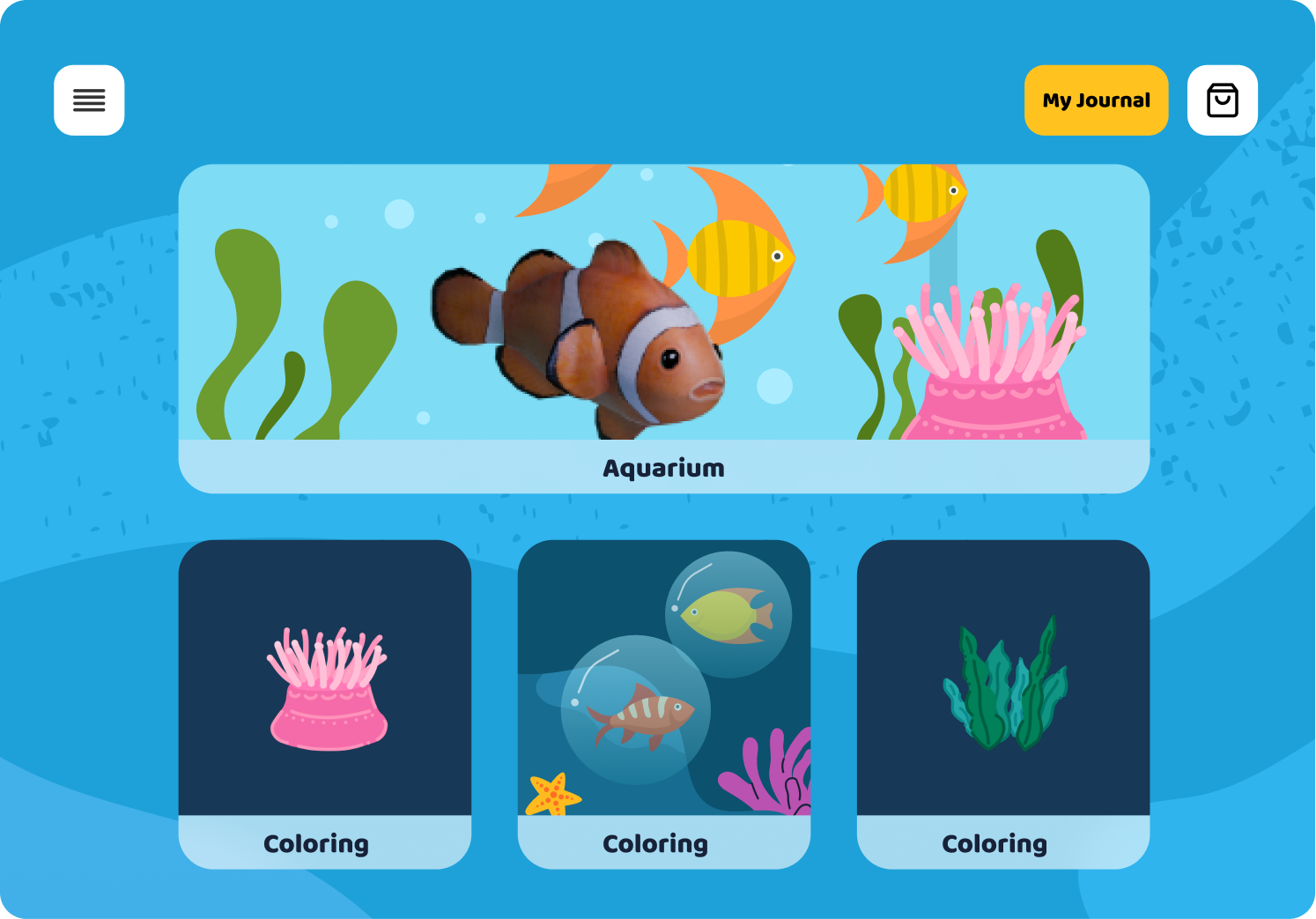
- Main menu and navigation system
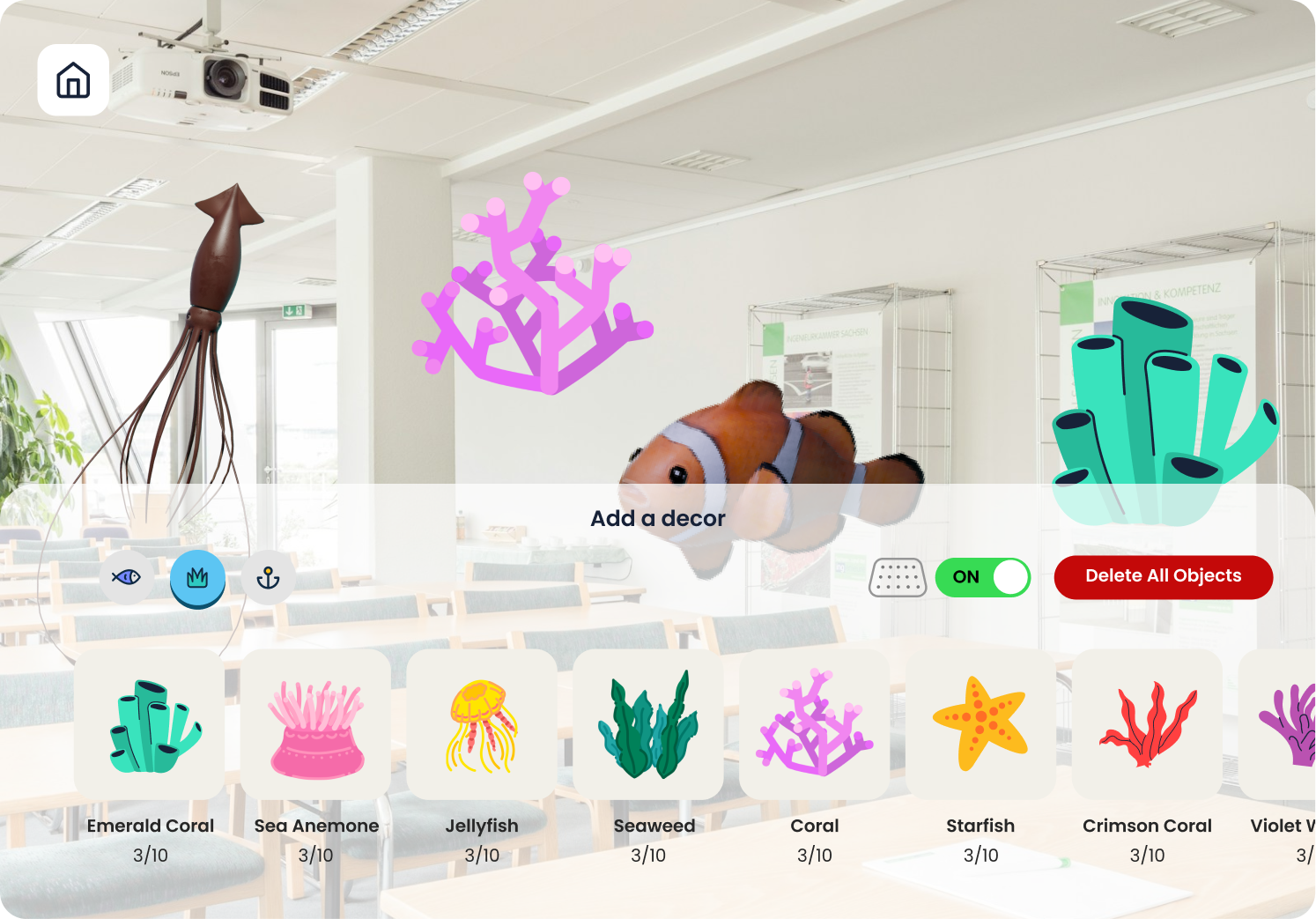
- Aquarium experience flow and edit interface
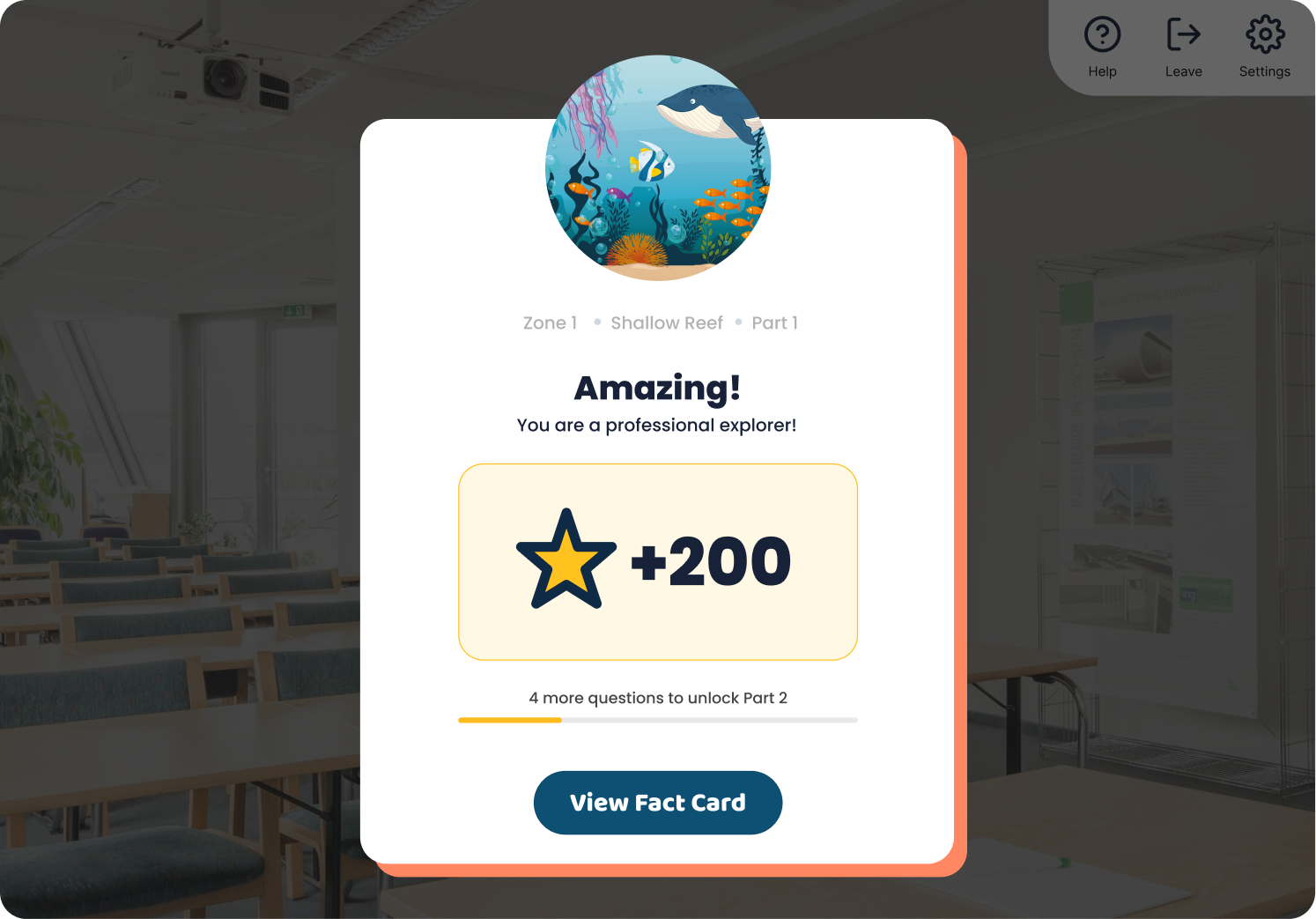
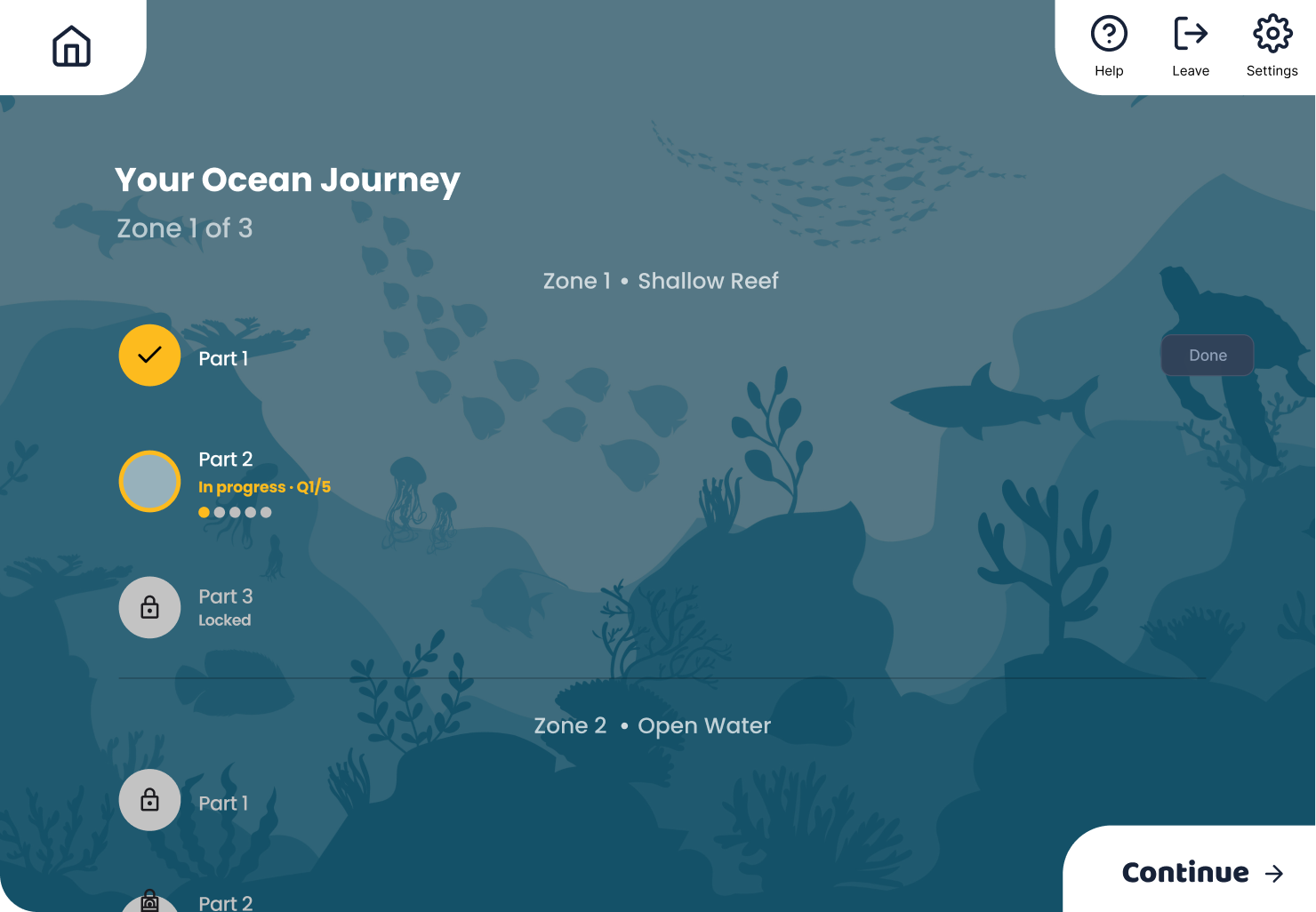
- Bubble Pop quiz interaction design
- In-game feedback cues and educational prompts
Timeline
Team
Overview
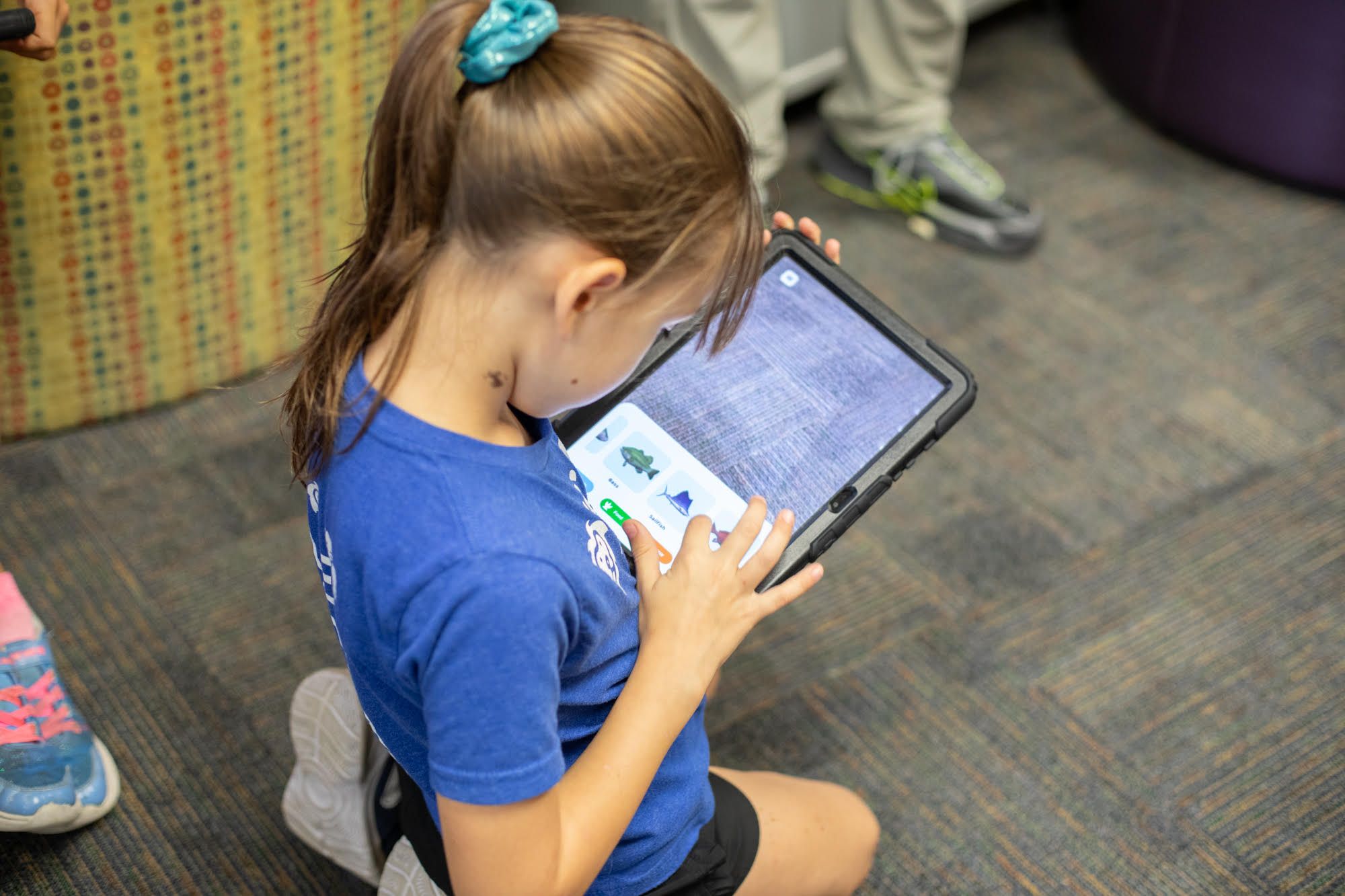
Developed by the University of Florida College of Education and Lastinger Center for Learning, the app uses gamified AR experiences to make literacy more accessible and exciting.
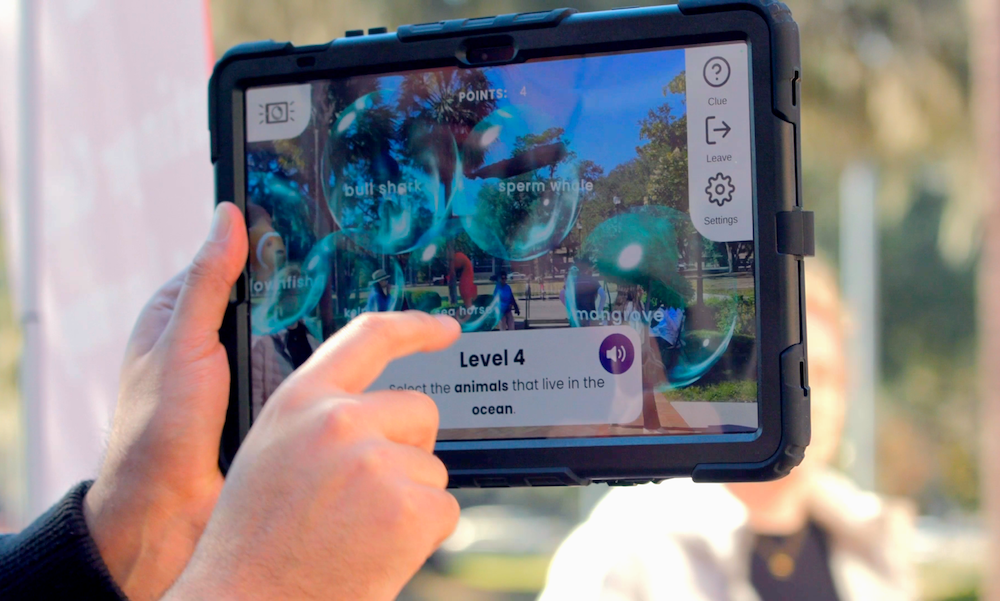
The Challenge
How do we design an interface that encourages reading without overwhelming kids who struggle with reading?
The paradox at the heart of AR Expeditions
We're building an app to motivate reluctant readers, but every piece of text on screen is a potential barrier.
The Design Problems
Target users are already frustrated with reading
3rd-5th graders reading below grade level need confidence-building, not more cognitive load.
AR adds complexity
Designing for 3D space requires different UI thinking than traditional apps.
Balancing fun and learning
Kids need to engage with educational content, not skip past it to the "fun parts".
Research & Approach
Understanding the 8-10 year old mindset
My Research Process:
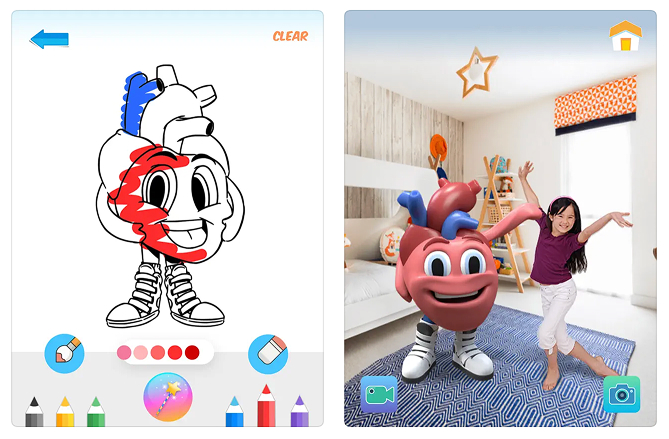
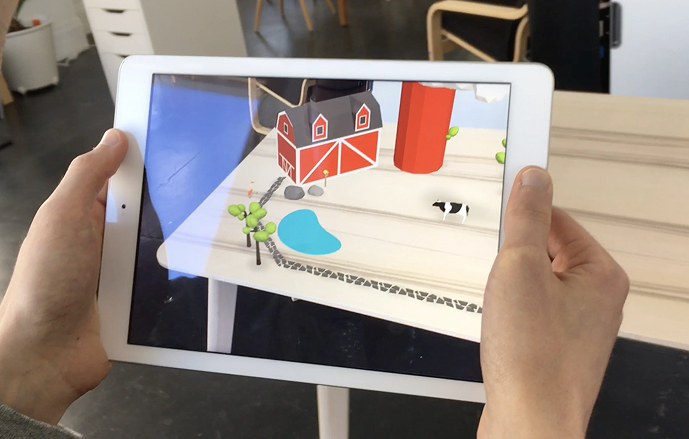
Studied existing AR apps for kids
I analyzed popular AR educational apps and games to understand UI patterns that worked in 3D space.
Key Findings
- Large, clear buttons with high contrast
- Minimal text, maximum visual cues
- Persistent navigation that doesn't get lost in AR space
- Immediate feedback for every action
Working with the research team, I learned about the specific barriers reluctant readers face:
Key Findings
- Overwhelming text blocks cause anxiety
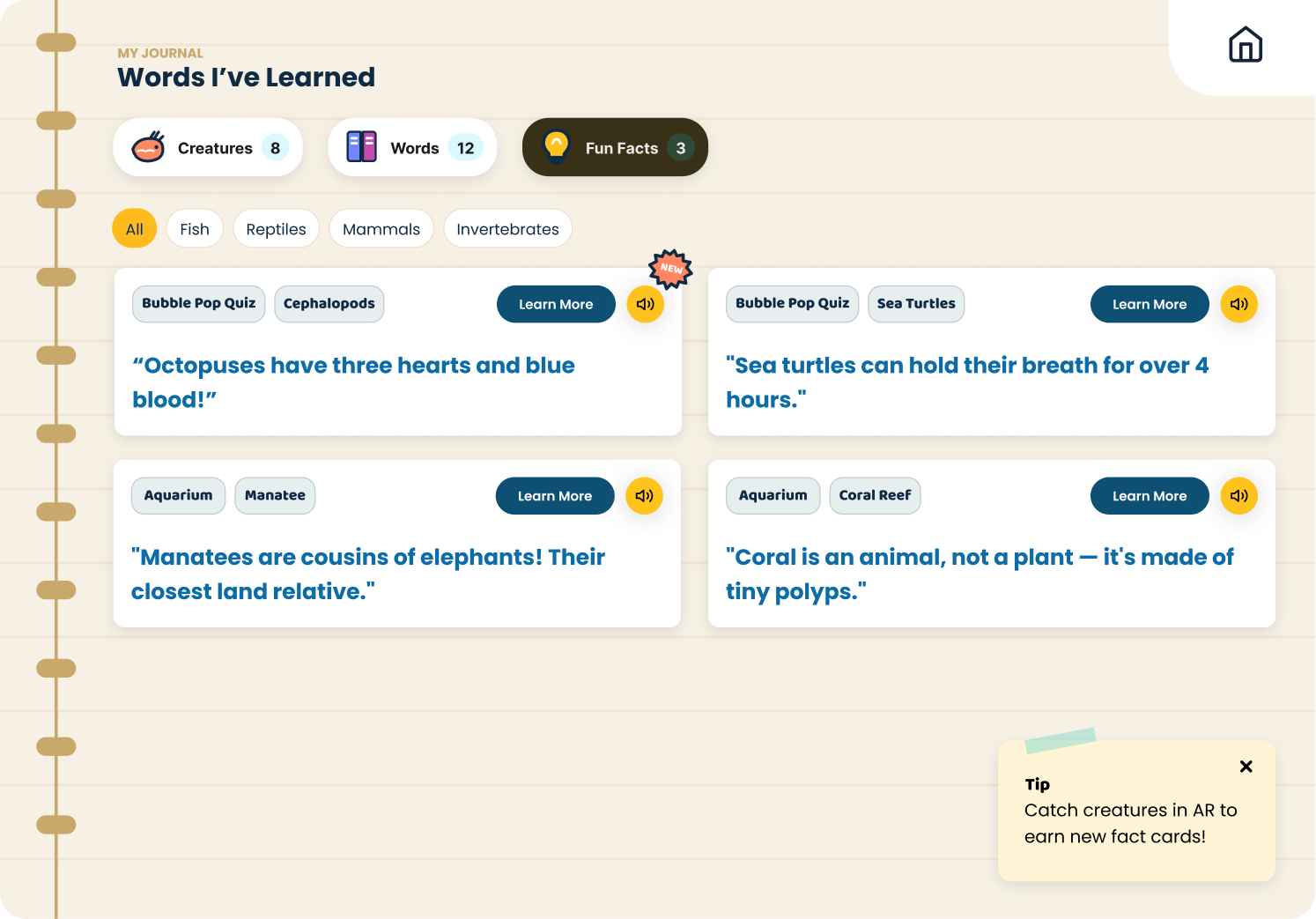
- Need for audio support to build confidence
- Importance of success moments to build motivation
Designing the Experience
User Flow
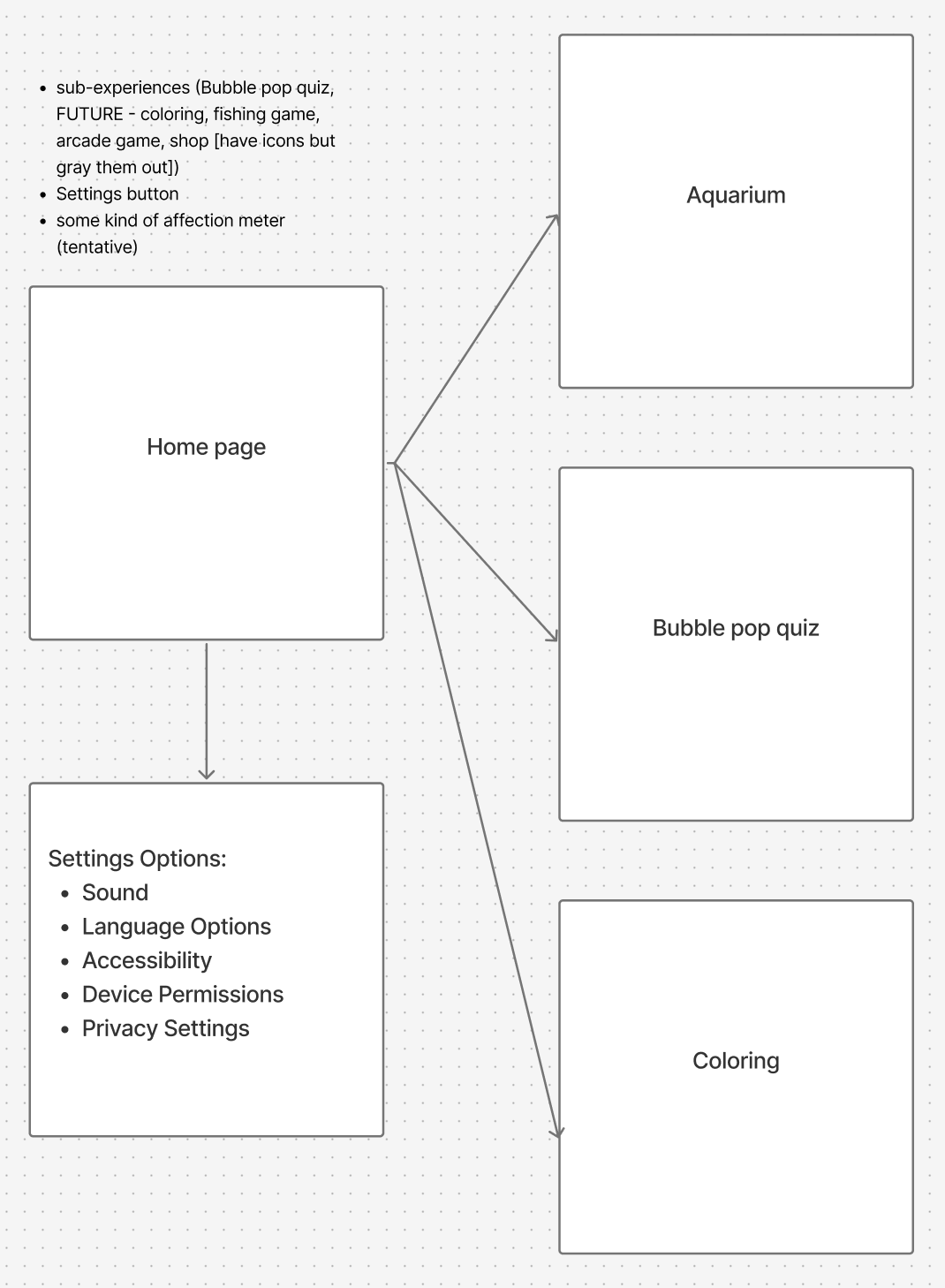
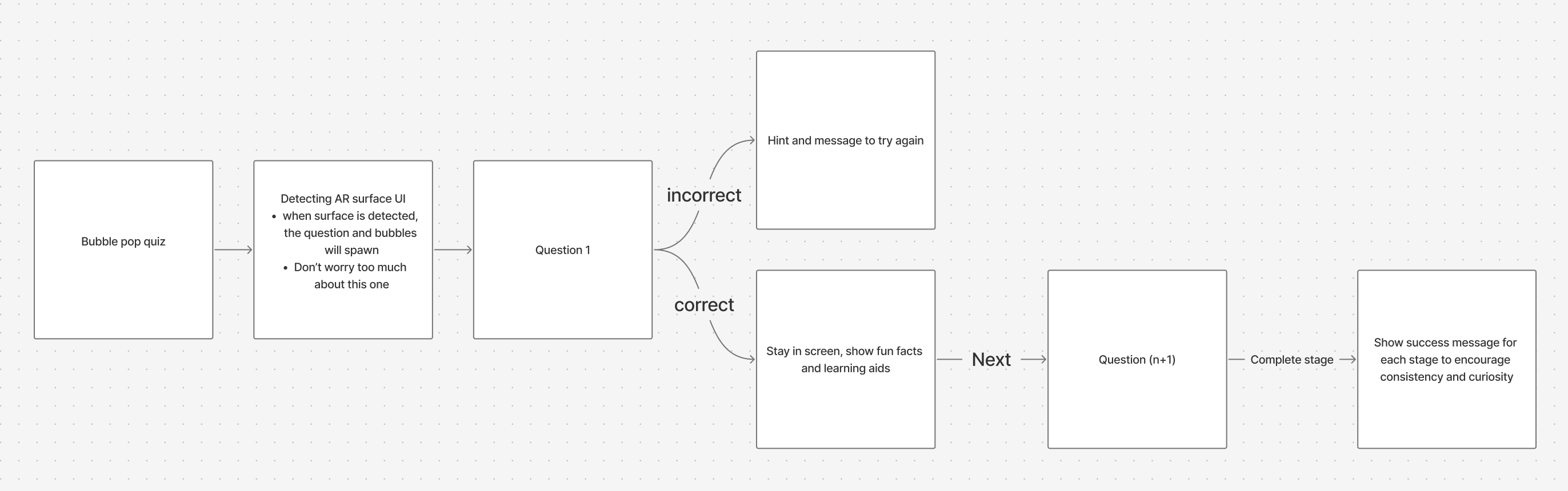
Each experience in AR Expeditions required careful flow design to balance three goals: make it fun, make it educational, and make it accessible. Here's how I structured the key user journeys:
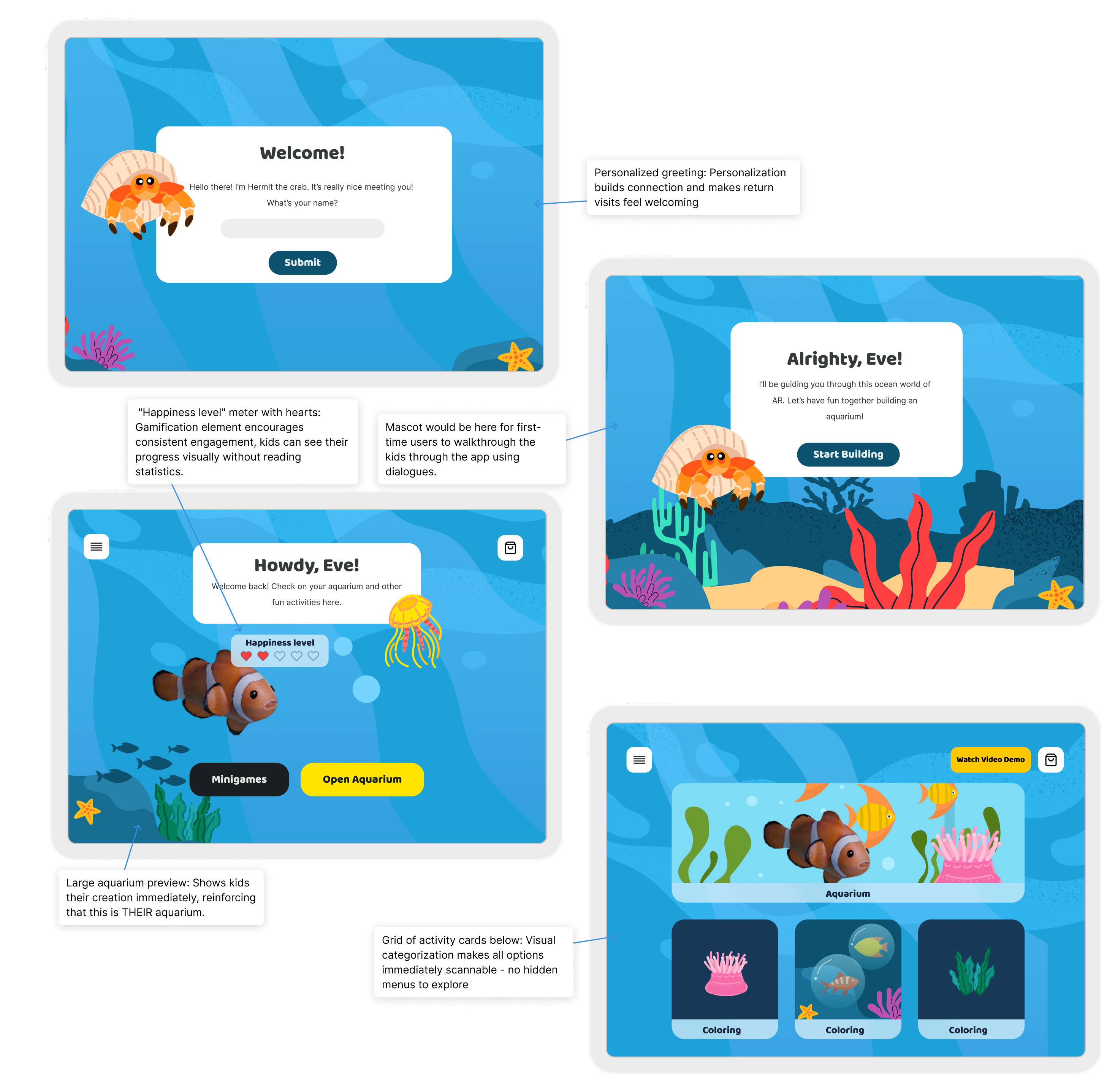
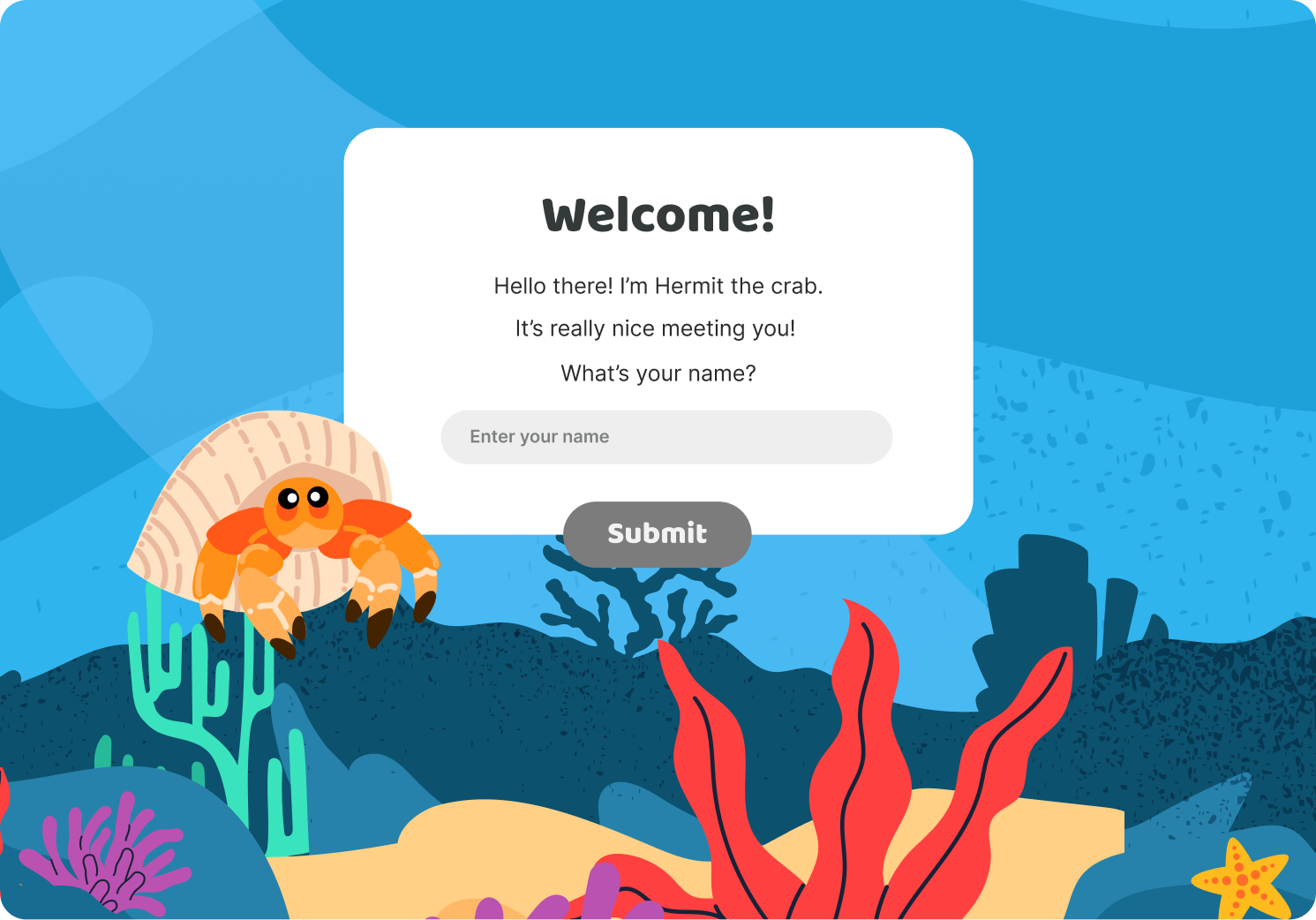
First-time users
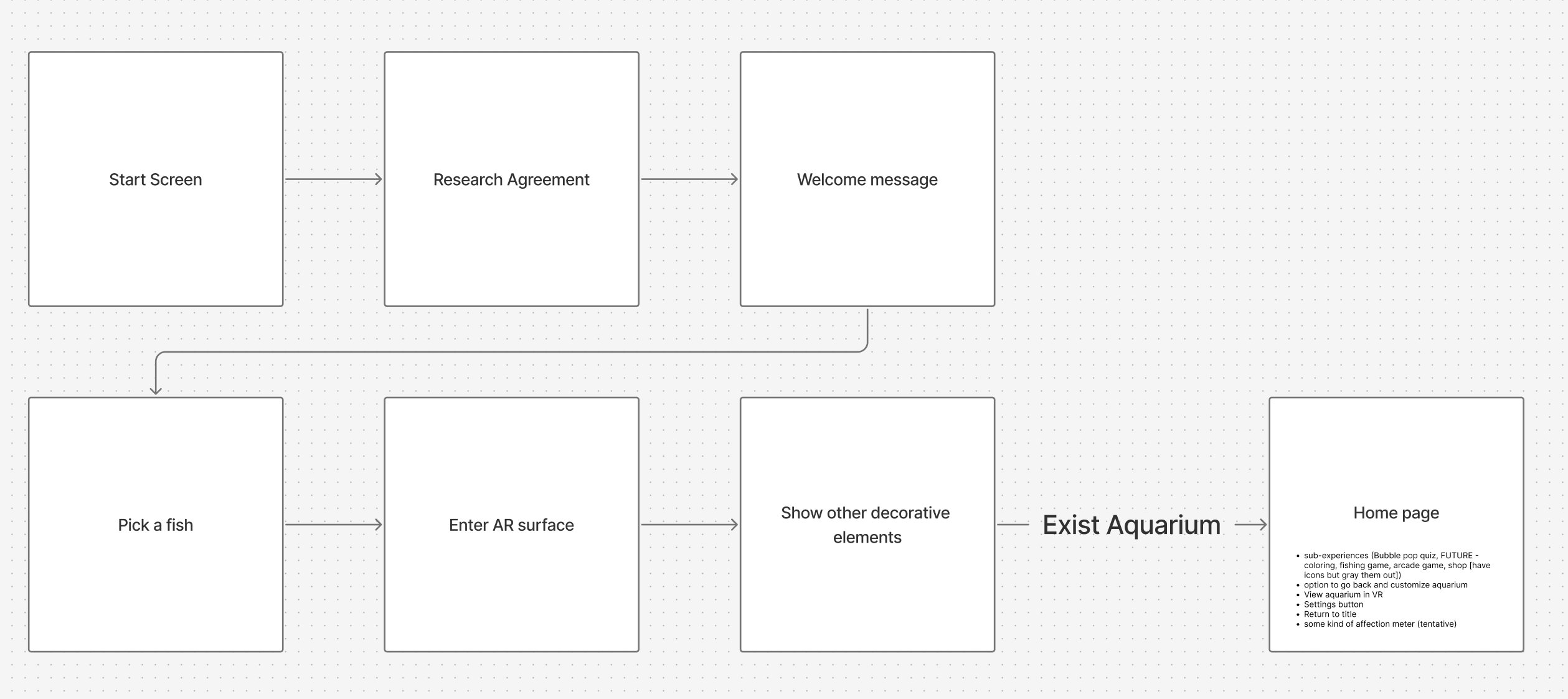
Home page for returning users
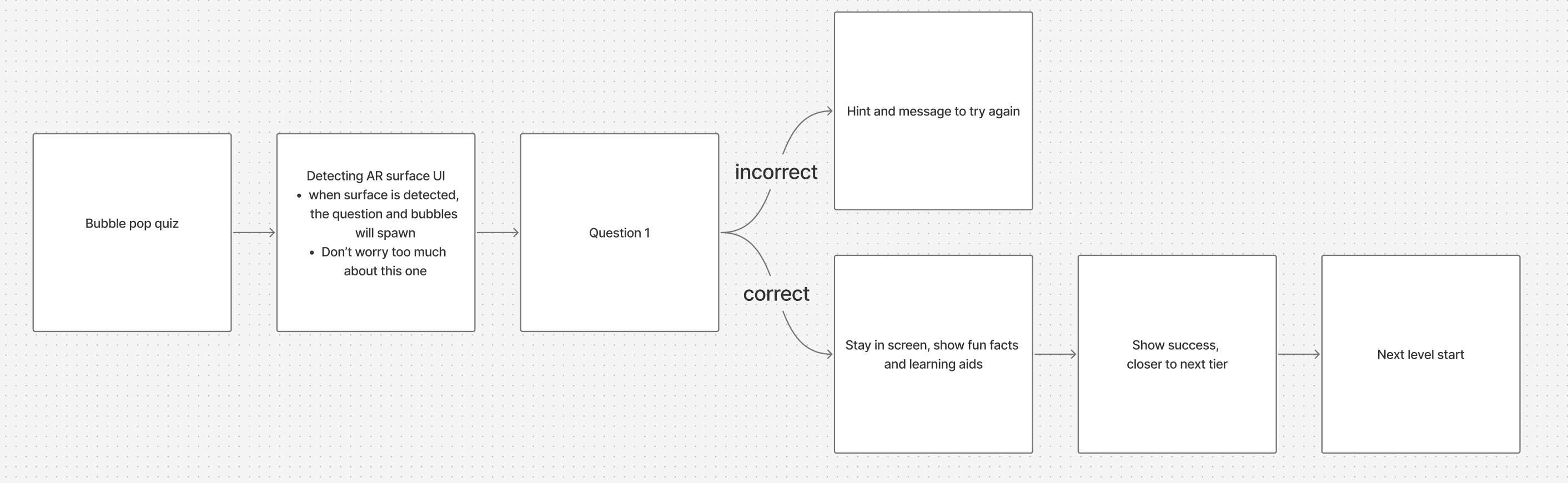
Bubble Pop Quiz
Design Iterations
Refining Core Components
In order to make sure the app serves the right purposes, we have set some principles for designing across experiences




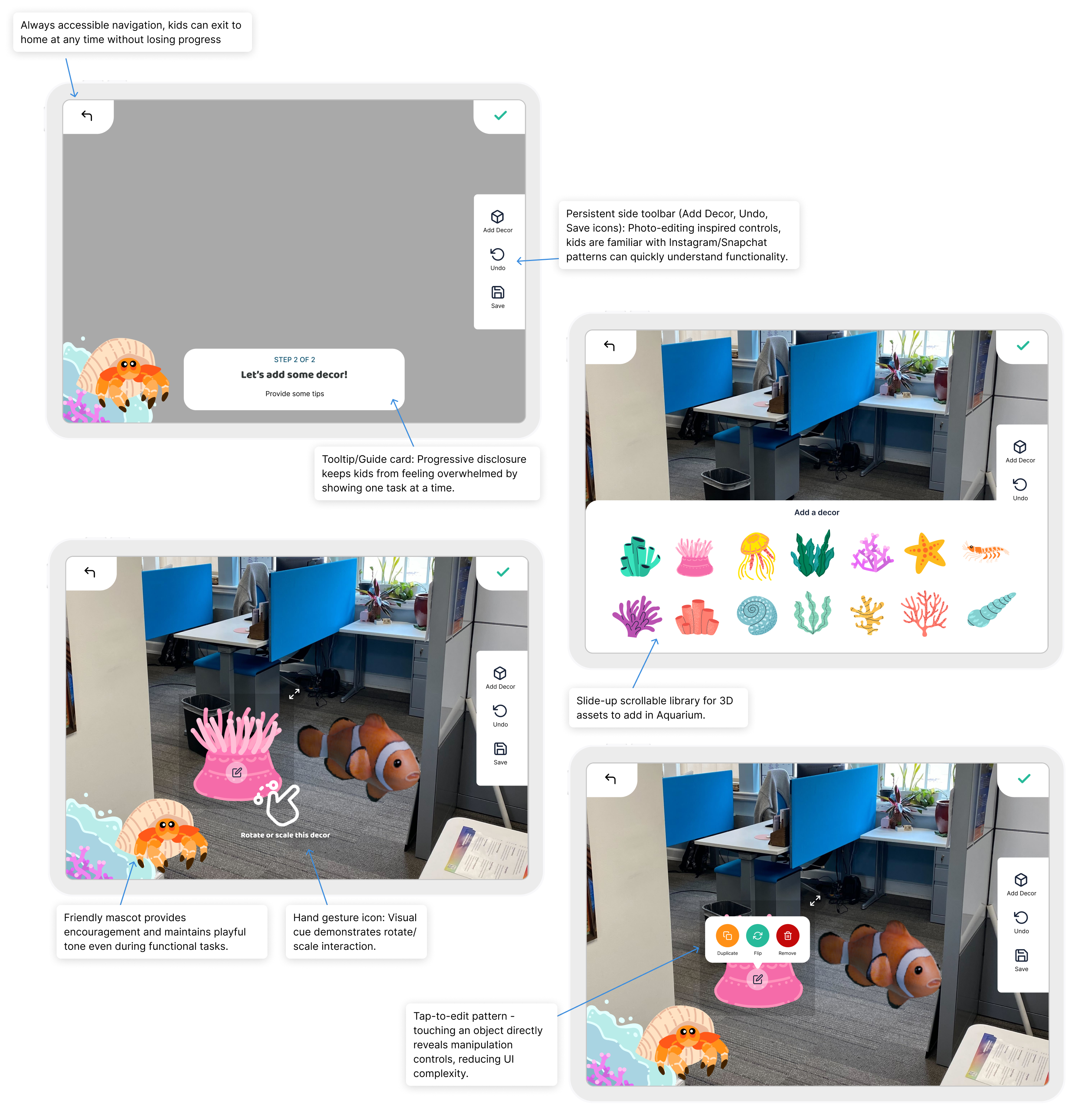
At this point, we have already established some 3D elements created by our 3D Artist, so I went ahead and designed high fidelity wireframes for stakeholders to visualize the product.
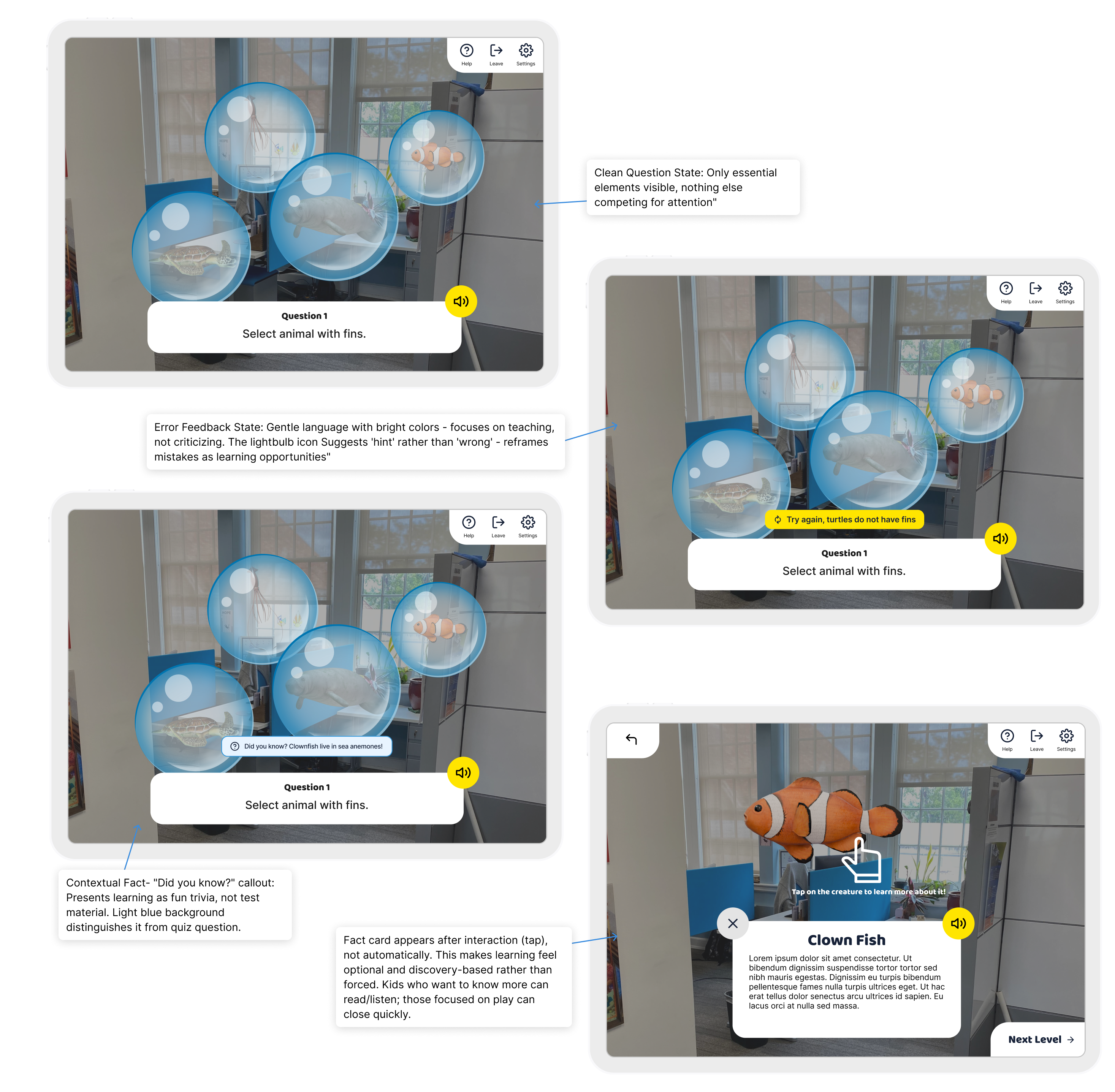
Iterating with insights
Soon after the first development is created, we discovered several improvements from stakeholder and focus group feedback:
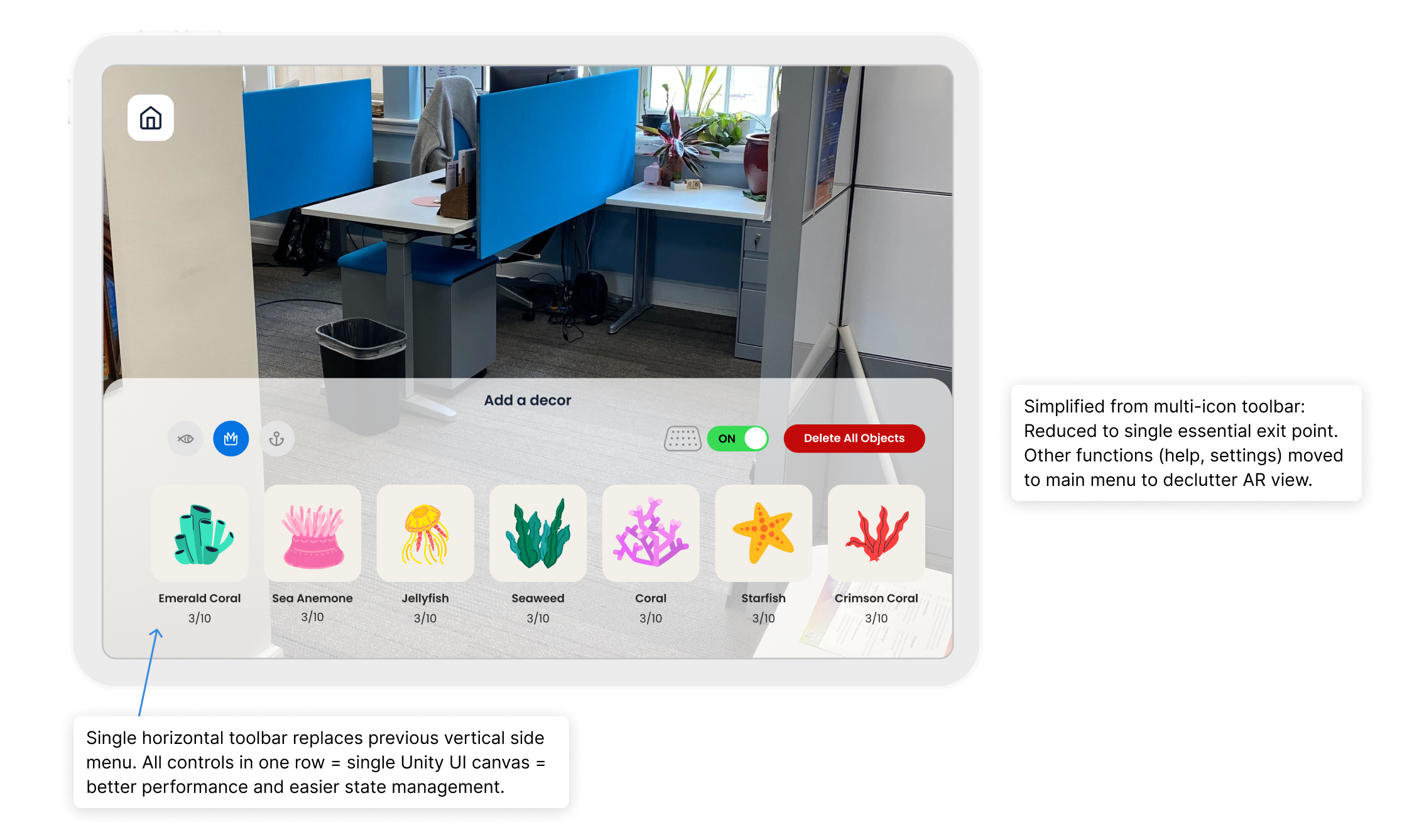
AR/ Unity contraints
AR placement is based on surface detection and spatial mapping, not screen center. Also a more simplified UI would perform better across different devices.
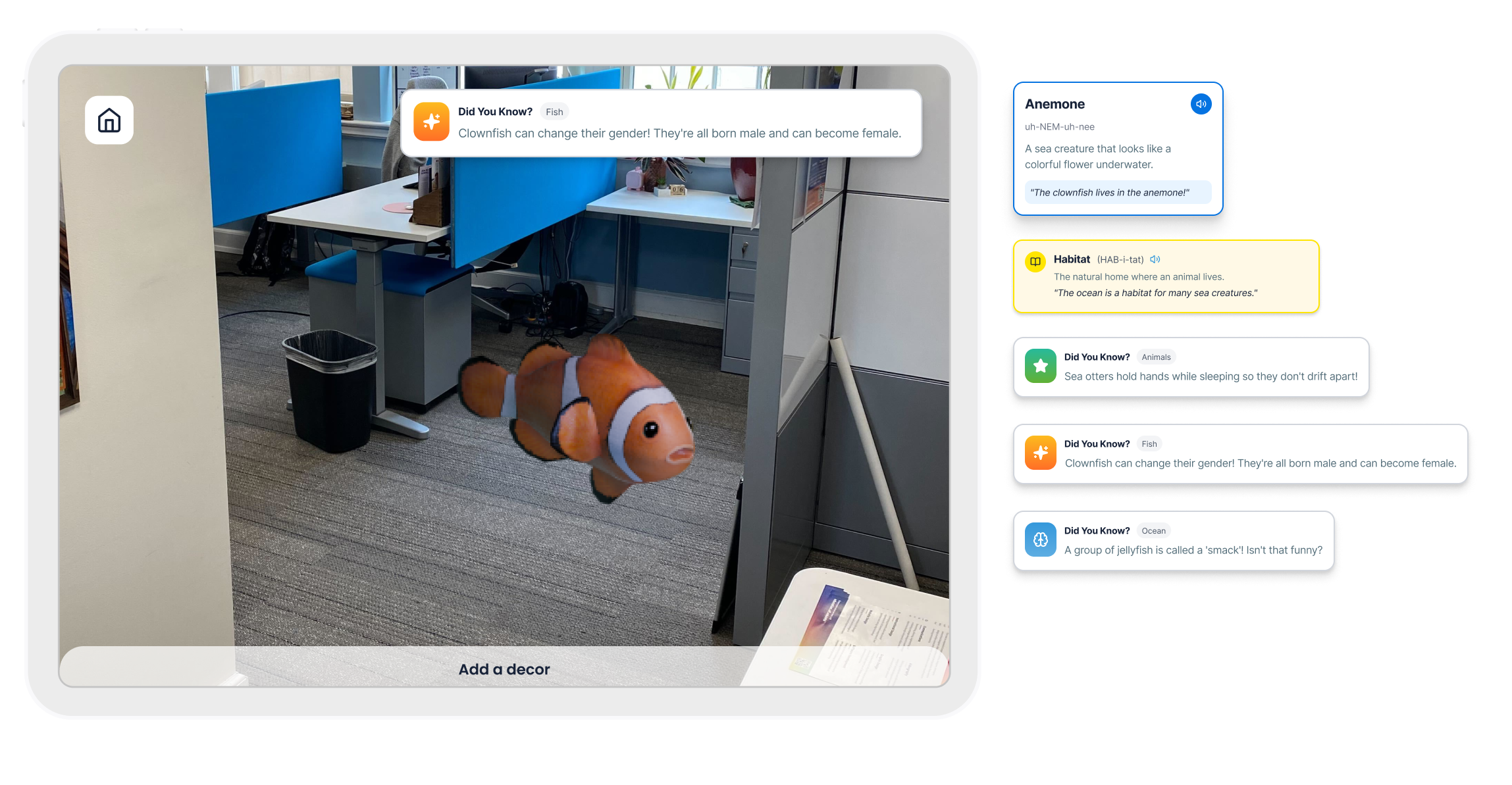
Strengthening Educational Content Integration
Stakeholders noted that while kids loved the AR interactions, we needed to emphasize educational content more prominently to meet learning objectives.
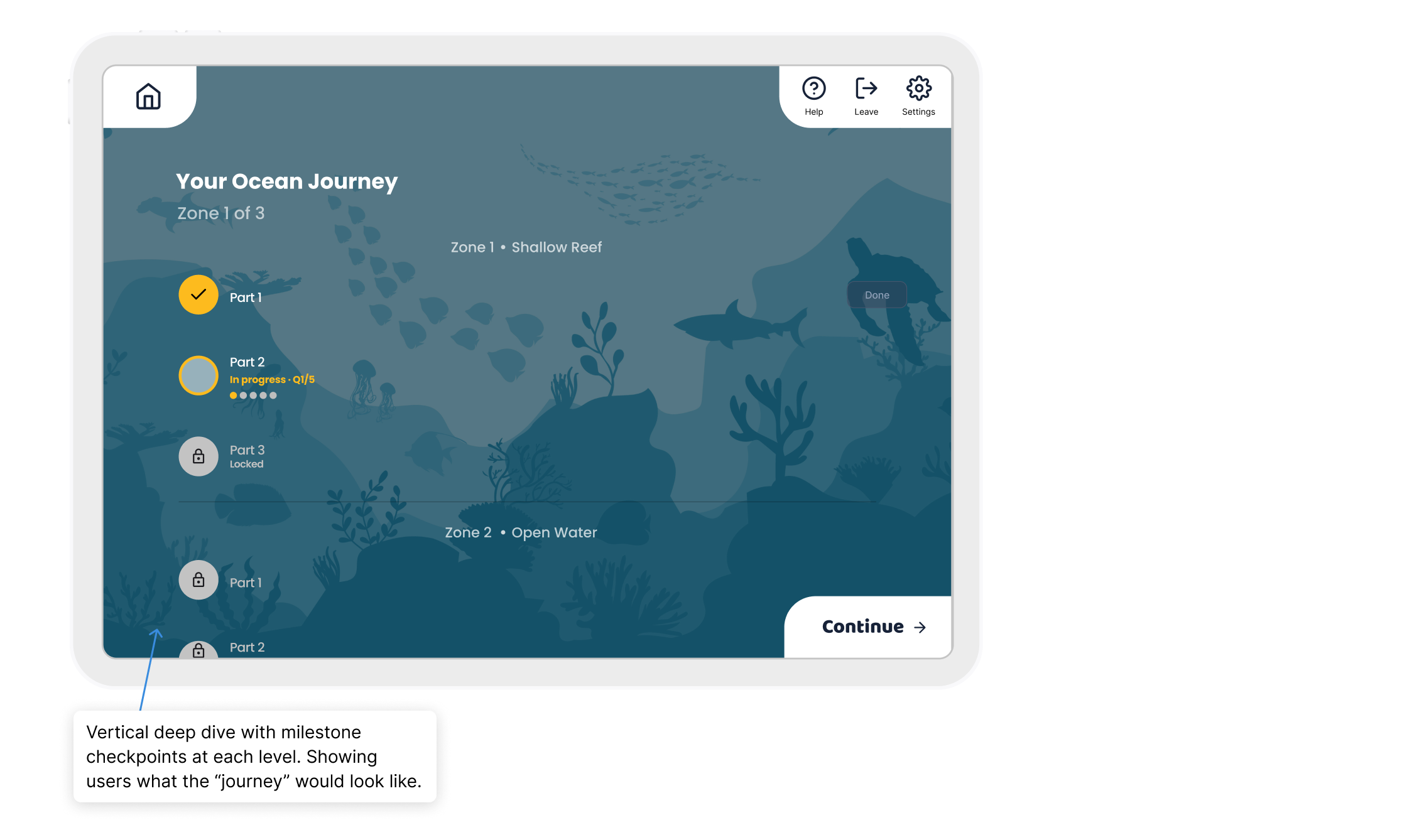
Breaking Bubble Pop Quiz Into Digestible Levels
Focus groups revealed that the quiz activity felt too long. Kids would lose focus or exit mid-experience, thinking they'd never finish.
Guiding Users When AR Content Loads Outside of View
- Edge arrows: Small animated arrows appear at screen edges pointing toward off-screen objects such as: "Your fish appeared! Look up!"
Strengthening Educational Content Integration
- Made facts more visible: Increased fact card frequency and prominence
- Added "Did you know?" facts: Auto-narrate when creatures are placed (passive learning while playing)
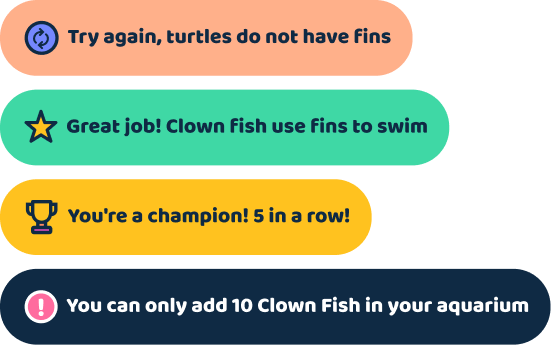
Feedback Design

Breaking Bubble Pop Quiz Into Digestible Levels
- 3-5 questions per level instead of one long session
- Clear completion milestones: You’ve completed Level 1 of Bubble Pop Quiz!
FINAL DESIGN
Gamification and Learning



Outcome & Reflection
The Impact
Early feedback indicates that Kids engage enthusiastically with the AR experiences. The simplified UI allows focus on content and interacting with the gaming elements.
.jpg)

