web
admin panel UI
saas
LMS
THRIVES- a platform for caregiver learning and research
App Design
Project
Dashboard Design, UX Design, UI Design
Timeline
6 months
What I did
LMS platform redesign
Team
1 Software Developer, 1 Instructional Designer
Overview
I designed a web platform for caregiver education that supports both participant learning and research operations, improving navigation, content management, and progress tracking across two distinct user groups.
Product goal
Who is the product for?
The project was created for University of Florida’s Institute of Food and Agricultural Sciences, The platform was designed around two distinct user mental models:
Participants
- User retention and user engagement
- Habit formation
Admins and researchers
- Reducing fragmentation
- Reducing time spent on content management
Current pain Point
The fragmented experience
Our stakeholders needed a more interactive way to deliver caregiver education and collect participant data, but the existing web setup has a couple of issues:
Hard to navigate
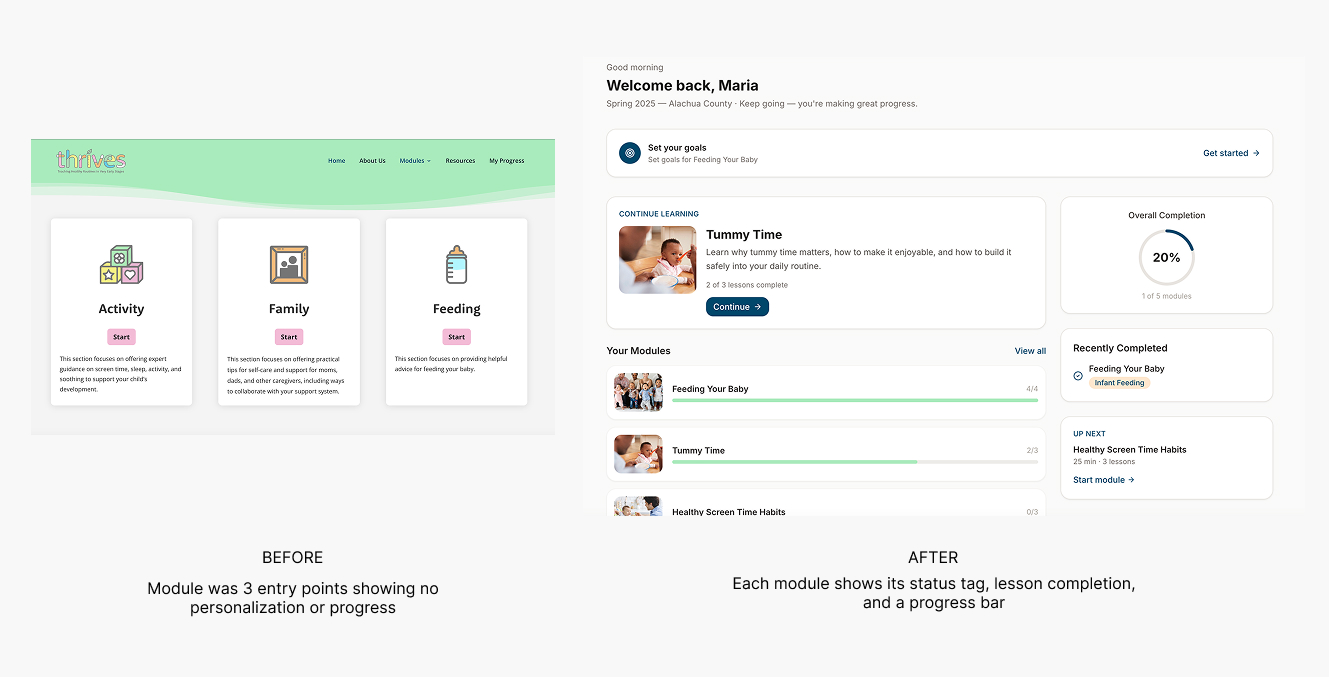
For participants, they said the platform has nowhere to display progress. And it is difficult to jump from module to module.
Lack progress tracking
For participants, they said the platform has nowhere to display progress. And it is difficult to jump from module to module.
Limited ownership
Gave stakeholders limited ownership over tracking progress and quiz responses.
Key Design Decisions
Finding the Right Solution
Admin Panel
Nested content hierarchy
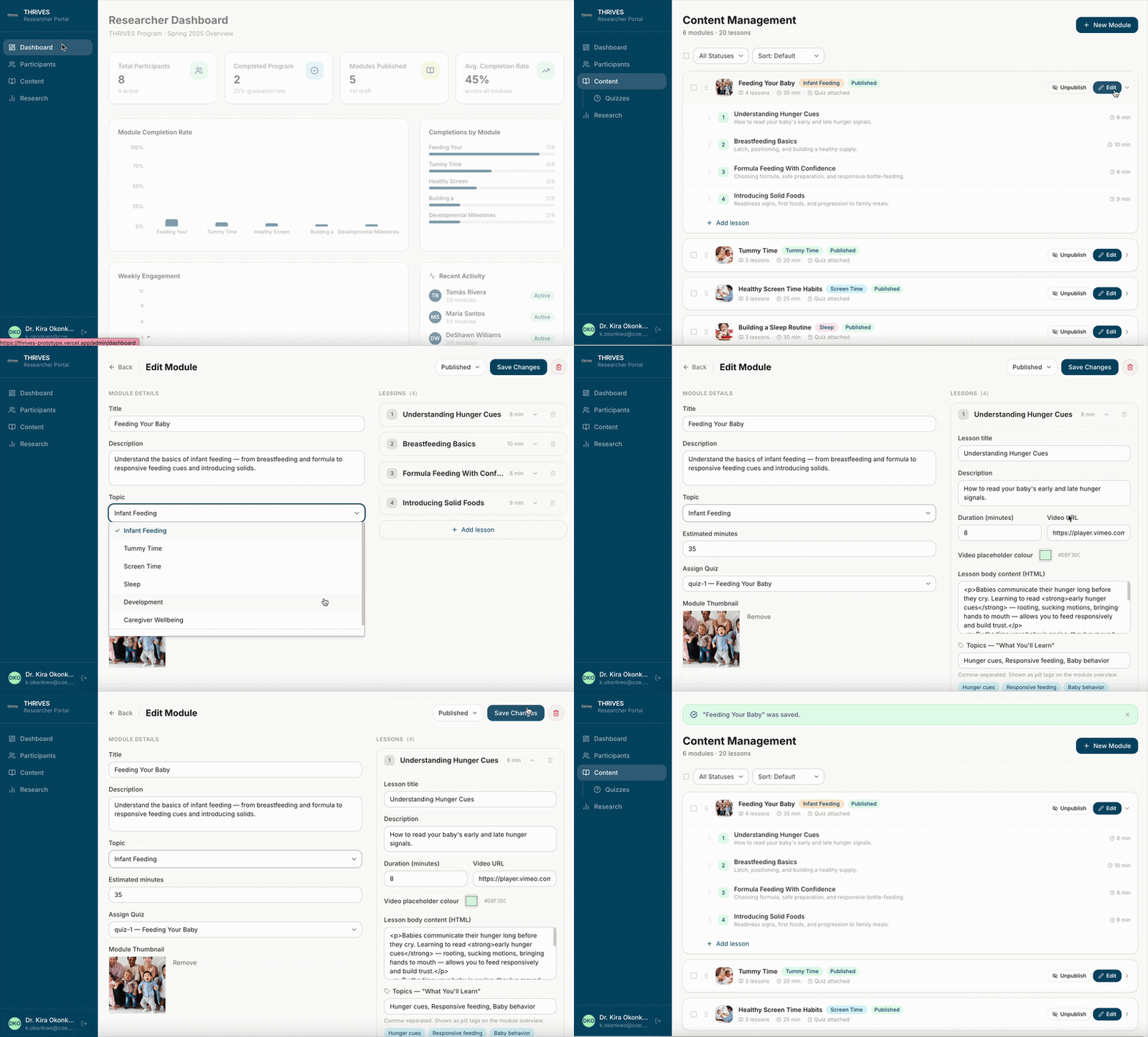
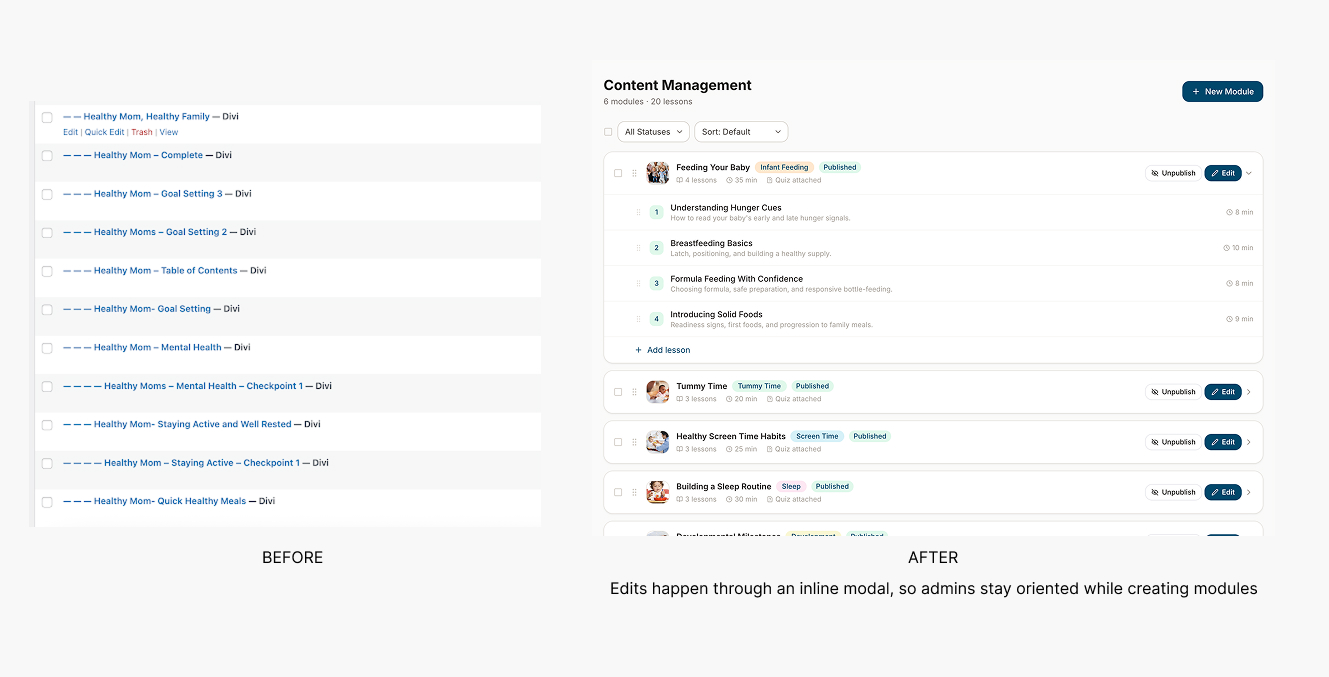
Module → Lesson, instead of needing to manually link pages together to create a continuous module.This reduces time spent on adding course material for admins to managing cohort assignments.
Module → Lesson, instead of needing to manually link pages together to create a continuous module.This reduces time spent on adding course material for admins to managing cohort assignments.
Scalable quiz management
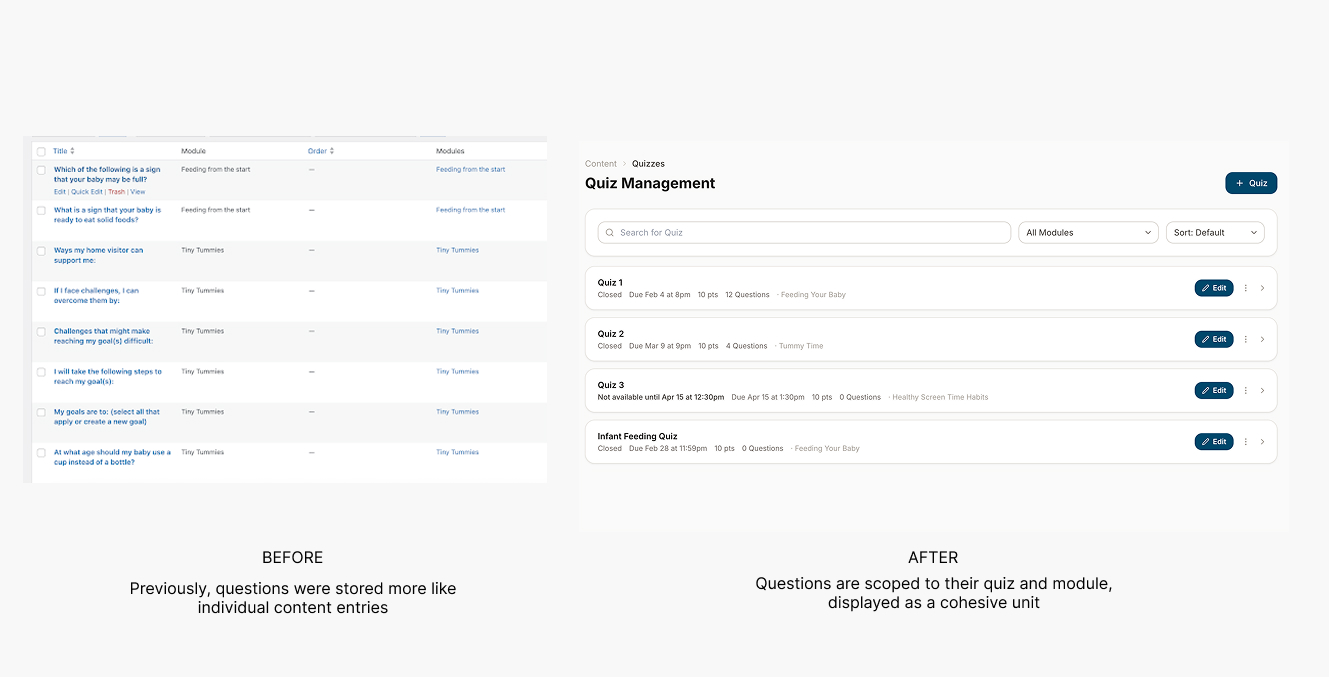
The Edit Question page consolidates question type, prompt, model answer, into a single user flow. Comparing to WordPress where quiz creation lived across multiple plugins and screens. This is a consolidation pattern that reduces context-switching and lowers the learning curve.
The Edit Question page consolidates question type, prompt, model answer, into a single user flow. Comparing to WordPress where quiz creation lived across multiple plugins and screens. This is a consolidation pattern that reduces context-switching and lowers the learning curve.

Participant Shell
Homepage Dashboard
Progress highlighted on the participant home screen because the platform is meant to be revisited.
Progress highlighted on the participant home screen because the platform is meant to be revisited.

Quiz Review to Reinforce Learning
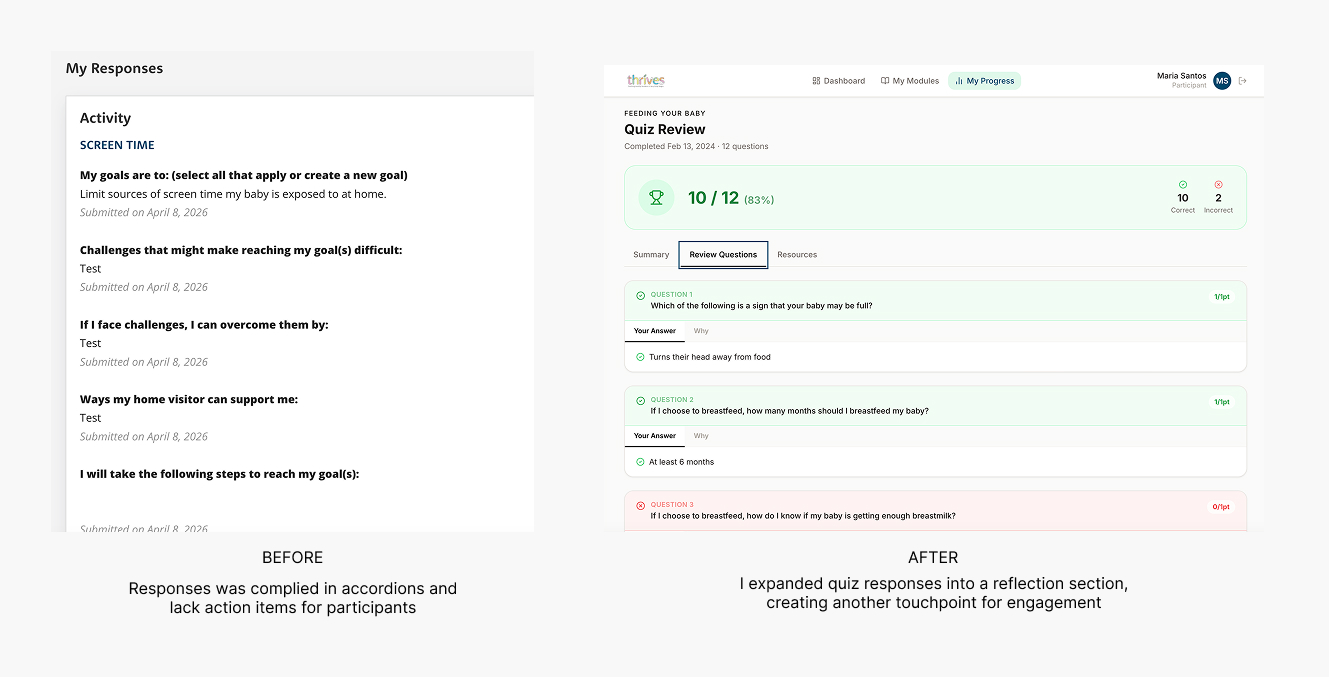
Holding a space for quiz review supports reflective learning. This reinforces retention, which aligns with the core research outcome.
Holding a space for quiz review supports reflective learning. This reinforces retention, which aligns with the core research outcome.
End-to-end behavior loop
After completing a module, they're guided through a structured goal-setting.The responses would be stored and be shown in the “My Progress” page, turn a passive content experience into something participants can own and revisit
After completing a module, they're guided through a structured goal-setting.The responses would be stored and be shown in the “My Progress” page, turn a passive content experience into something participants can own and revisit

Product Walkthrough
Primary Features
Module Management
Quiz Management
Response Management
Participant Progress
outcome
Results
Before
Manual follow-up, spreadsheets, no visibility into who did what
After
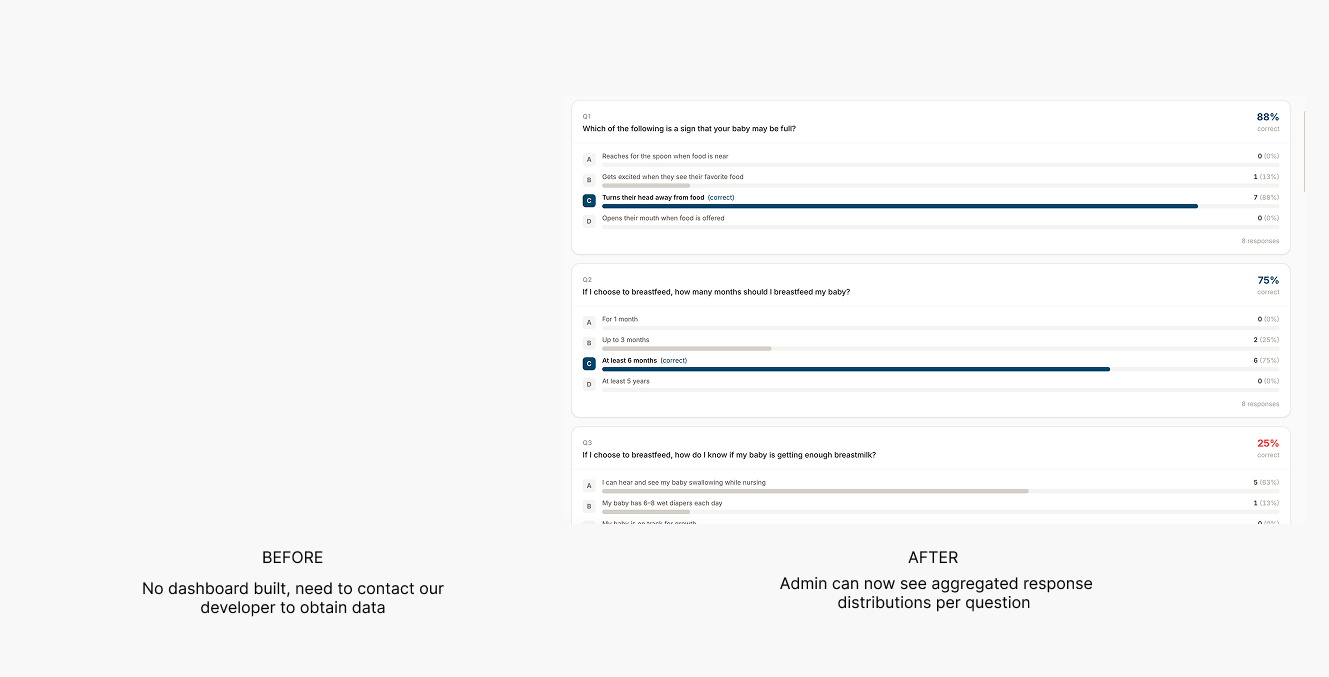
Admin access module completions, quiz responses in one place
34 Caregivers Onboarded

5 Sessions per user

78% active engagement rate

